Website UX Optimization & Design System
American Property Owners Alliance
Brand Identity
Information Architecture
UX Design
Design Systems
Digital Strategy
Responsive Web
My Role
Led the migration from Adobe XD to Figma
Built and established APOA's web design system
Created modular content blocks aligned with the Drupal framework
Managed developer handoff and supported implementation
Team
Design/UX Lead (me)
Web Developer (Alison Phanthavong)
Content Writer (Melanie Vynalek)
Account Supervisor (Amber Hord)
Results
Improved conversion across multiple website touchpoints
10% organic growth in APOA’s database and engagement
6% decrease in time to publish
Challenge
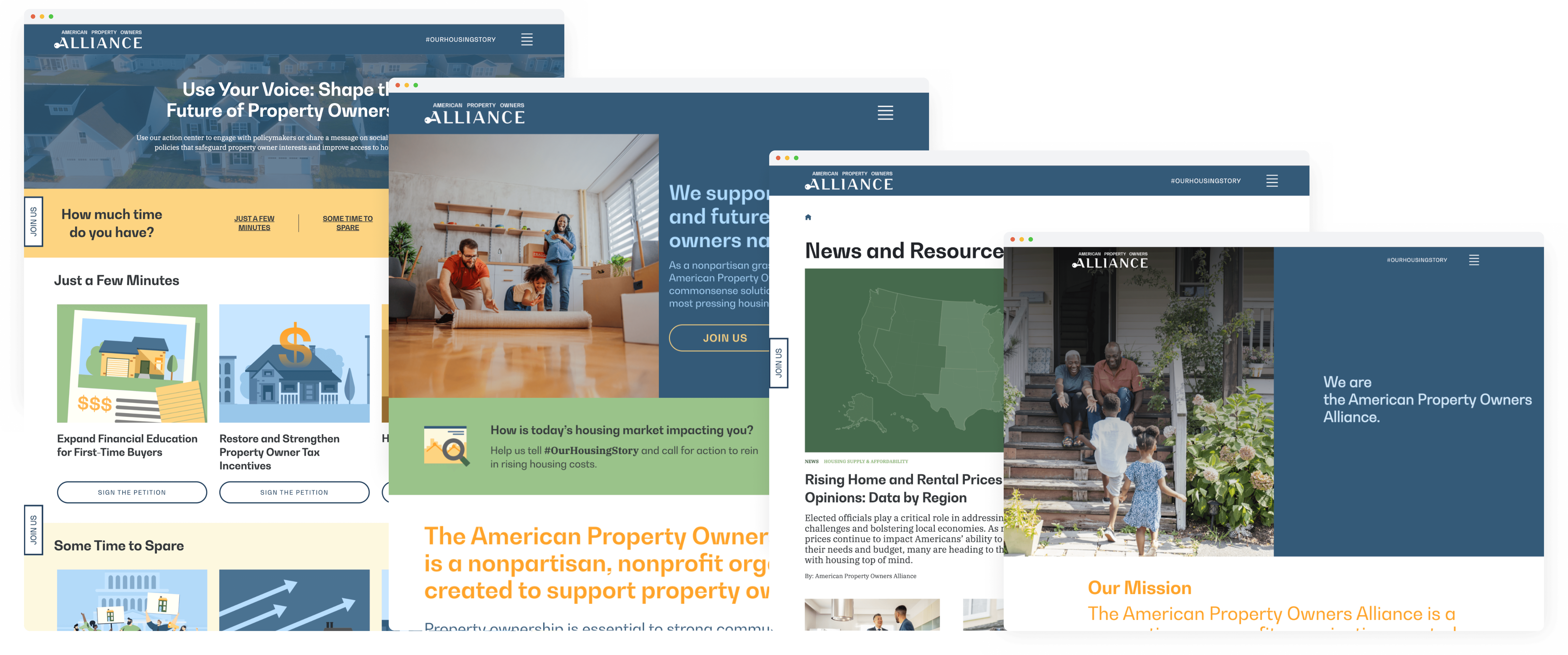
APOA approached our team to improve its website across multiple fronts. Content writers needed the ability to quickly launch campaign pages, and developers required flexible, reusable modules to support fast-turn requests. The site lacked a streamlined system for building pages efficiently, and there was an opportunity to strengthen both the user experience and backend workflows. I was brought in to lead the visual direction, define the user experience strategy for campaign landing pages, and help establish a scalable design foundation.
Campaign pages needed to be launched quickly, often under tight timelines
Content publishing workflows were inefficient
Page components weren’t modular or scalable
Brand presence was inconsistent across landing pages
User flows were not clearly defined around conversion goals
Insights
Optimizing the end-to-end experience
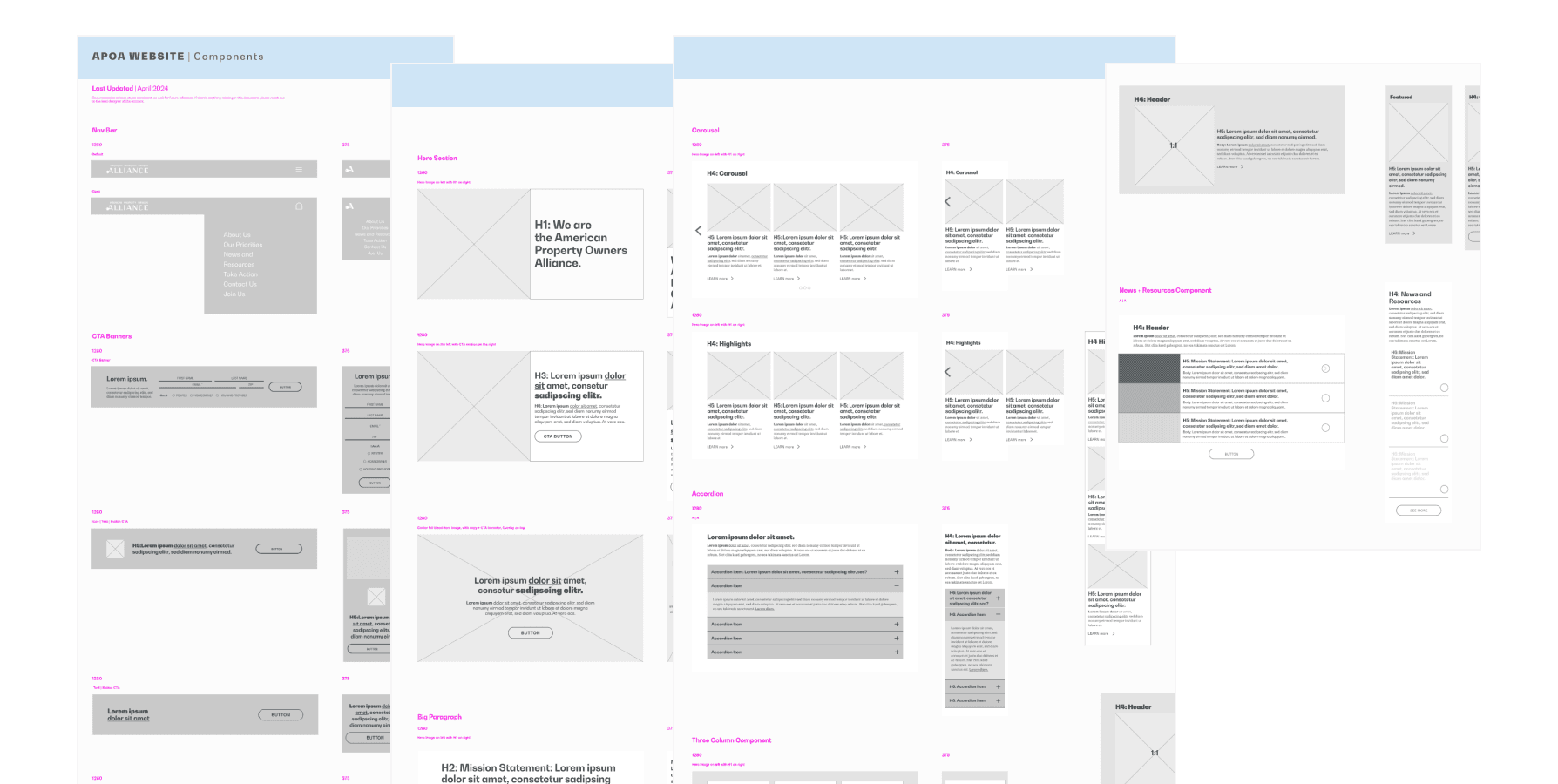
Through a thorough audit, we uncovered significant backend inconsistencies that were creating friction for both content owners and users. The developer and I led the strategy to build content templates, simplify media uploads, and establish a taxonomy system for content filtering.
By building those templates in tandem with the design system, I was able to reduce developer redundancies and create a more efficient, sustainable way to maintain the site long-term.
Agile Timelines
Operating within Agile sprint cycles, our team needed to support frequent campaign launches tied to time-sensitive advocacy efforts. This required rapid iteration, fast approvals, and efficient developer handoff.
At the time, our workflow lacked a modular structure, so publishing new pages demanded significant manual effort from both designers and developers. Without a scalable system, hitting sprint deadlines meant risking consistency and user experience.
My Role
UX Optimization & User Flow Strategy
I defined and led primary user journeys to ensure each landing page intentionally guided users toward specific conversion goals. Rather than designing pages in isolation, I mapped out structured flows that supported different stages of user engagement — from awareness to action. I also championed journey-based thinking within the team, helping shift our mindset from page-level design to experience-level strategy.
Migration: Adobe XD → Figma
I led the migration of our design workflow from Adobe XD to Figma to align with industry standards and improve collaboration. During this transition:
Centralized files into a single source of truth
Improved real-time collaboration across teams
Streamlined developer handoff
Reduced version control issues
Strengthened our ability to scale a shared design system
The shift significantly improved efficiency across the product team.
Establishing the Design System
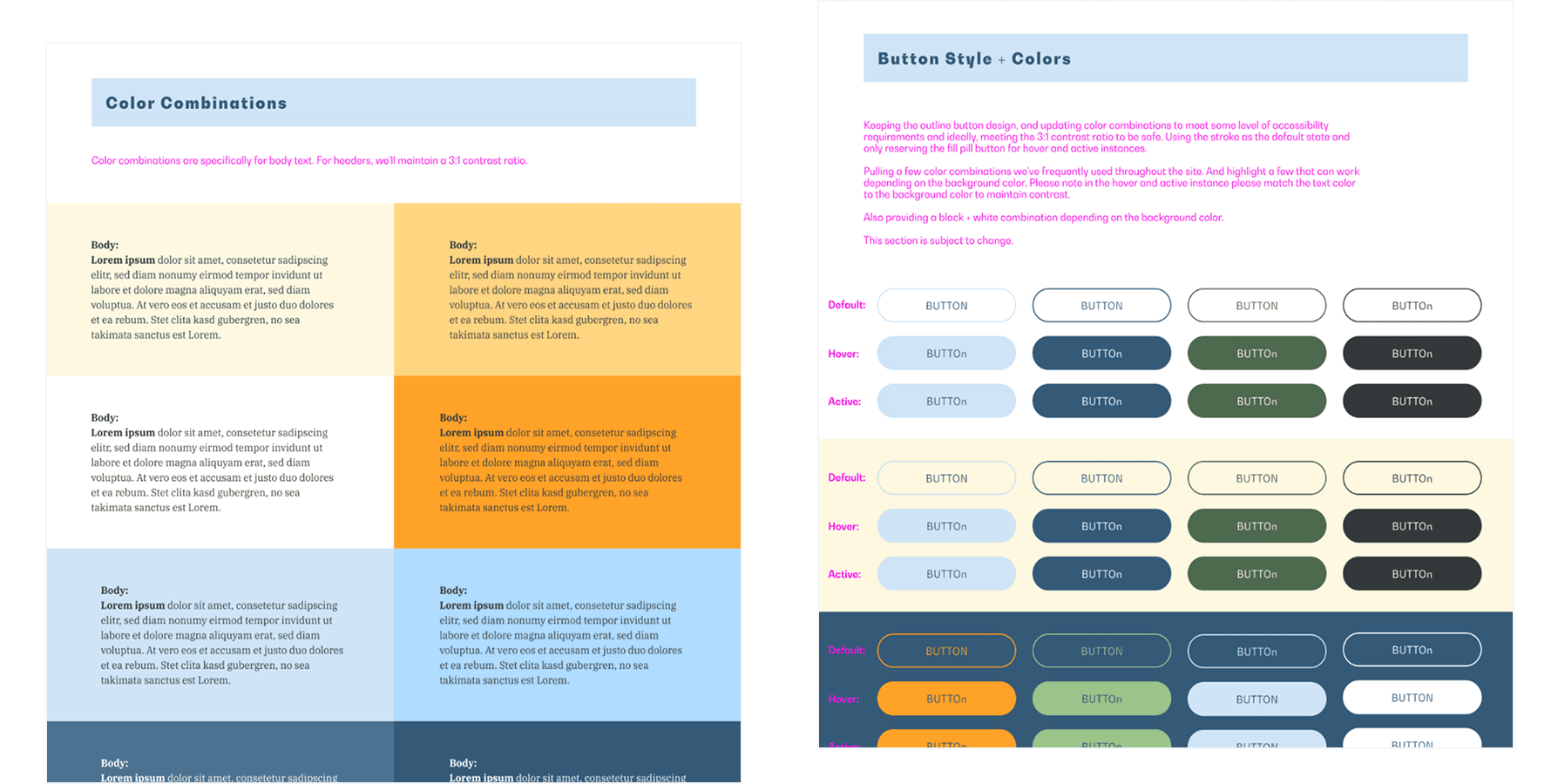
Our team was already in the early stages of developing APOA’s web design system, which allowed us to build landing pages using modular, reusable components. I built scalable content blocks aligned with the Drupal framework, established consistent typography, color, and component standards, and designed modular layouts that could be reused across campaigns. The goal was to move the team away from one-off page builds and toward system-based thinking — and it worked. This allowed content creators to build pages faster while maintaining visual and structural consistency.
Advocating for User Research
A developer and I advocated for incorporating user testing using Hotjar to better understand user behavior and identify friction points. We analyzed scroll depth, heatmaps, click behavior, and user interviews. Hearing users articulate their frustrations gave our team clarity around which elements were working and which needed improvement. These insights, combined with APOA’s business goals, helped us prioritize content updates, navigation improvements, and clearer calls-to-action.
Accessibility & Responsive Design
I prioritized accessibility and mobile optimization throughout the redesign. I ensured the site met WCAG compliance standards, defined clear interactive states, and improved mobile layouts and navigation patterns.. For example, I worked closely with developers to ensure carousel controls were visible and intuitive, improving usability across devices.
Developer Collaboration & Handoff
I coordinated closely with developers to ensure smooth implementation of the design system and modular components. By creating structured content blocks within Drupal, we reduced friction between design and development, improving efficiency in page production.
Results
The redesigned site gave APOA a scalable foundation to build on — faster publishing, more consistent brand presence, and landing pages that could be launched without starting from scratch each time.
Within the first month, the refreshed pages drove measurable results: a 10% organic increase in database growth and overall engagement, a 6% decrease in time to publish, and improved conversion across multiple touchpoints. The design system and modular component library continue to support the team's ongoing campaign work.
Improved conversion across multiple website touchpoints
10% organic growth in APOA’s database and engagement
6% decrease in time to publish
APOA Web pages
Homepage
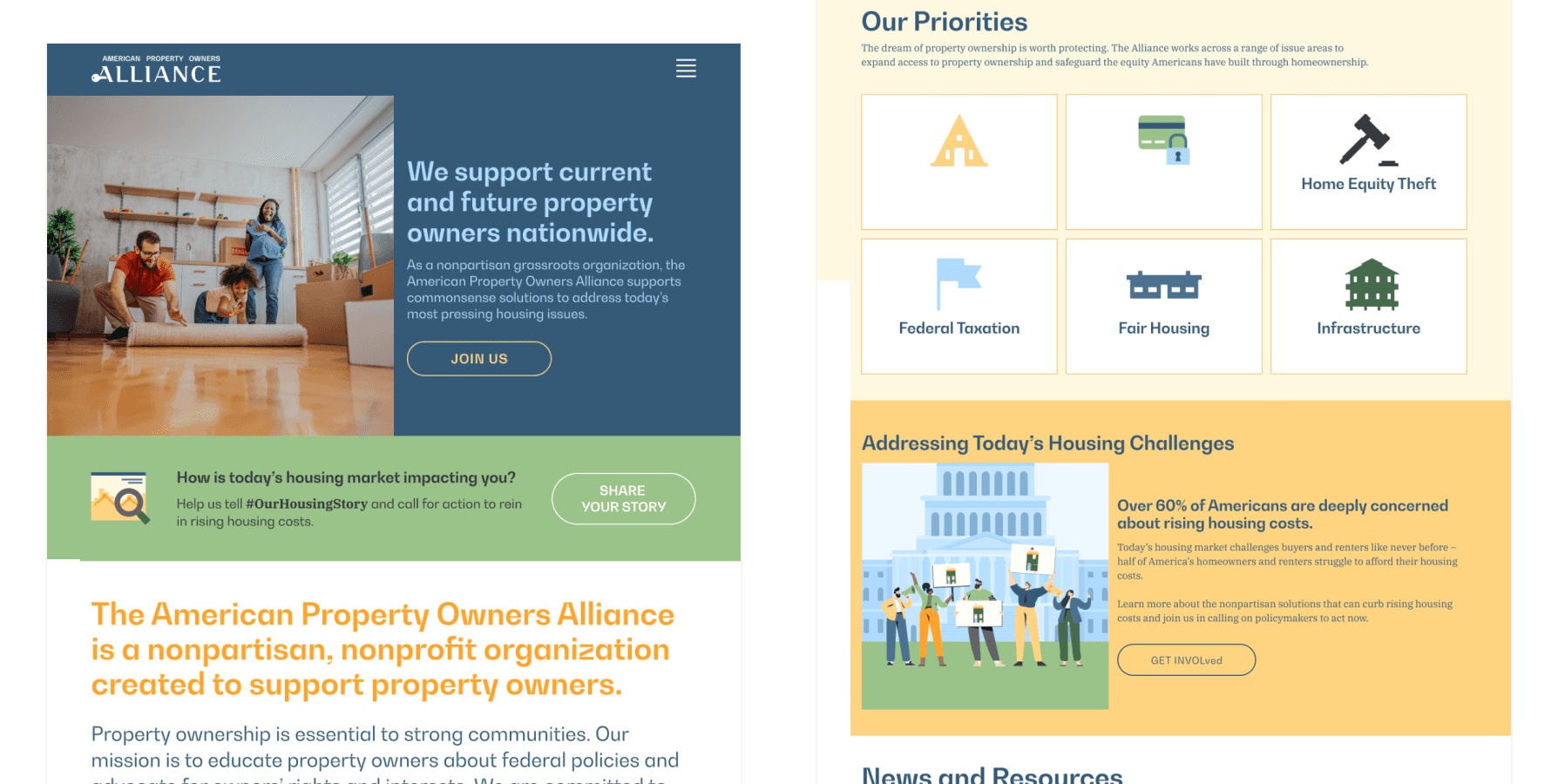
The homepage was one of the first pages APOA wanted to improve the visual and user experience. Working alongside the content writer, we tightened the information architecture so users could quickly scan APOA's core topics and immediately understand the organization's mission.
Take Action Hub
I redesigned APOA’s Take Action Hub to improve the overall user experience and strengthen the site’s information architecture. The original layout made it difficult for users to quickly understand where to start or what actions were most relevant to them.
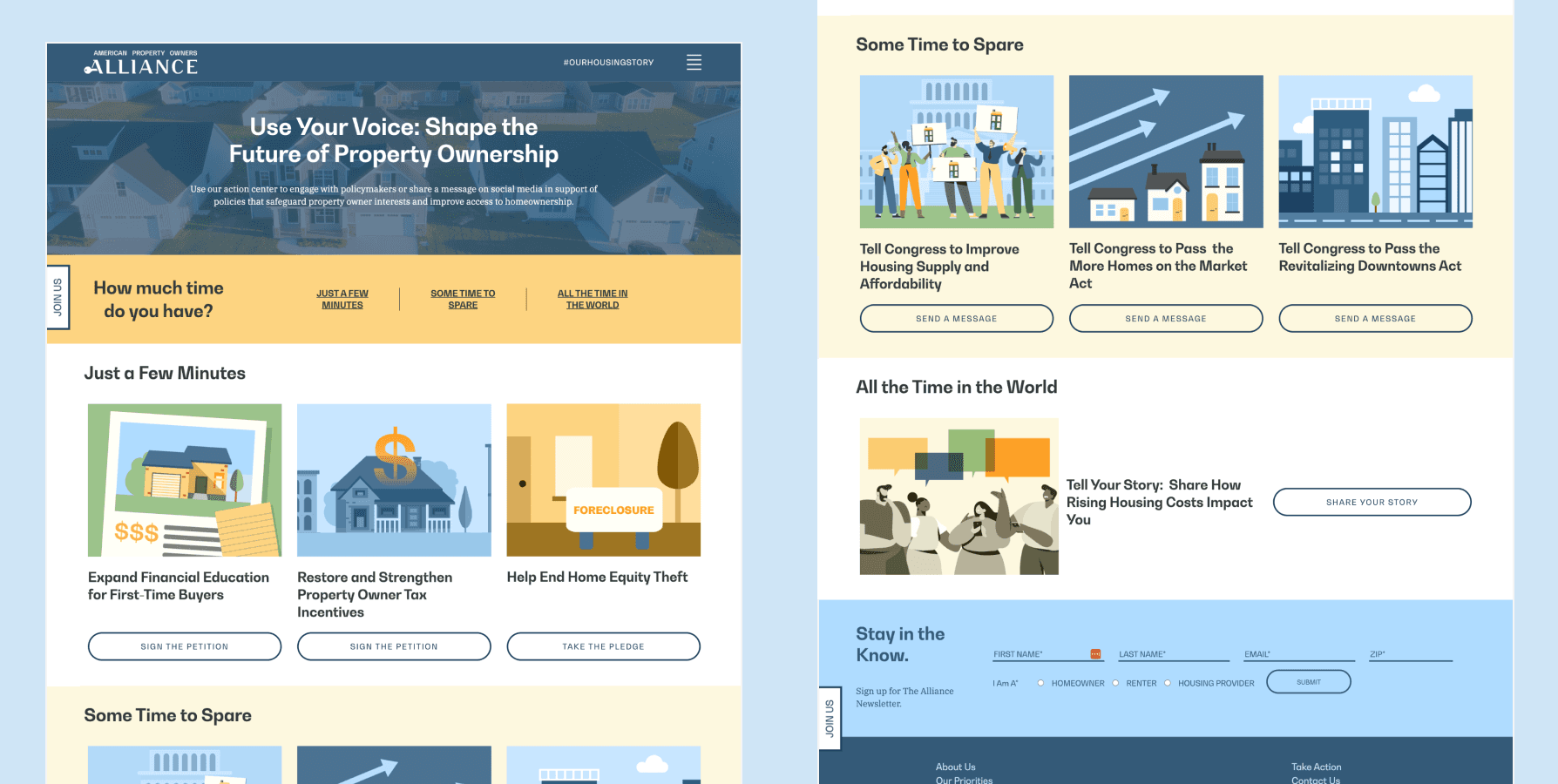
To solve this, I reorganized the content into clear, digestible sections based on how much time advocates were willing to spend learning about housing policy and taking action. I also introduced recognizable illustrations, strengthened the typographic hierarchy, and improved the page’s overall layout and easier for advocates to take meaningful action.
News & Resources
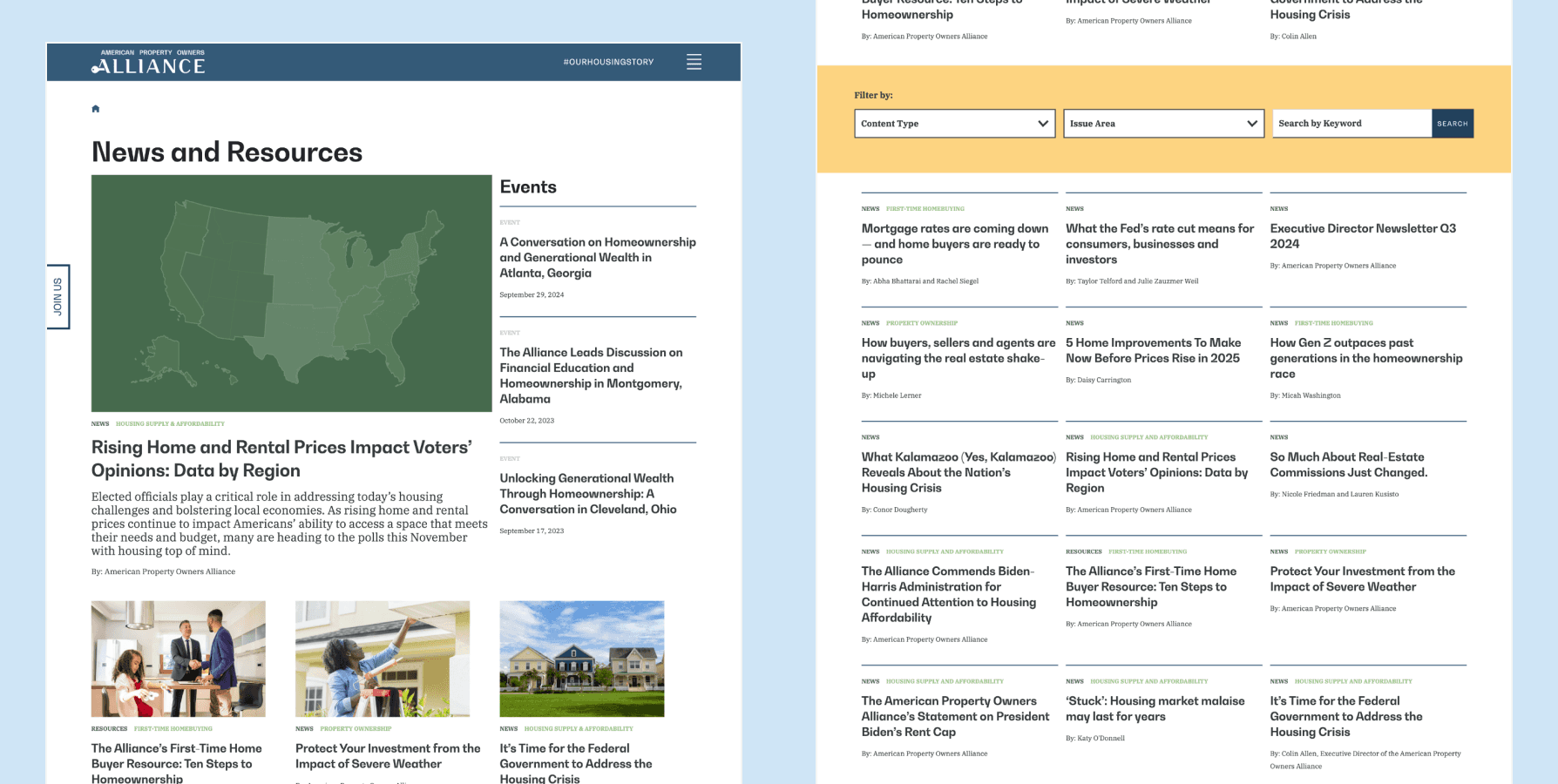
I overhauled APOA’s News & Resources page to create a more engaging and intuitive browsing experience for users looking to explore articles and educational content. The page needed stronger structure and clearer organization to help users find relevant information more quickly.
I established a more defined typographic hierarchy and developed a content taxonomy to improve how resources were categorized and managed in the backend. Using that taxonomy, I designed filterable categories that made content easier to browse and supported long-term scalability, benefiting both users browsing the site and internal teams managing content on the backend.